Search Results:
So, how do I change the Breathing Handle on my NIOX PRO®?
The Breathing Handle contains chemicals that naturally expire after 1,000 measurements or after one year of use. This is the case to ensure that results are accurate and reliable.
Your device will notify you when the Breathing Handle needs replacing, through the information tile located on the home screen. The status of the sensor is illustrated in the sensor tile and will change colour depending on the status of the sensor:

The green tile means that health is good, the amber means that action is required soon and the red tile means that action is required now.
Step One: Remove the old Breathing Handle:
- Ensure that the device is turned off by holding down the power button until the screen and green light turn off, and that the device is unplugged before continuing.
- Carefully place the device with the display facing down on a flat and clean surface.
- Remove the old handle by pressing the outer circle part of the handle tube port in and then gently pull the handle tube free to avoid damage to the device.
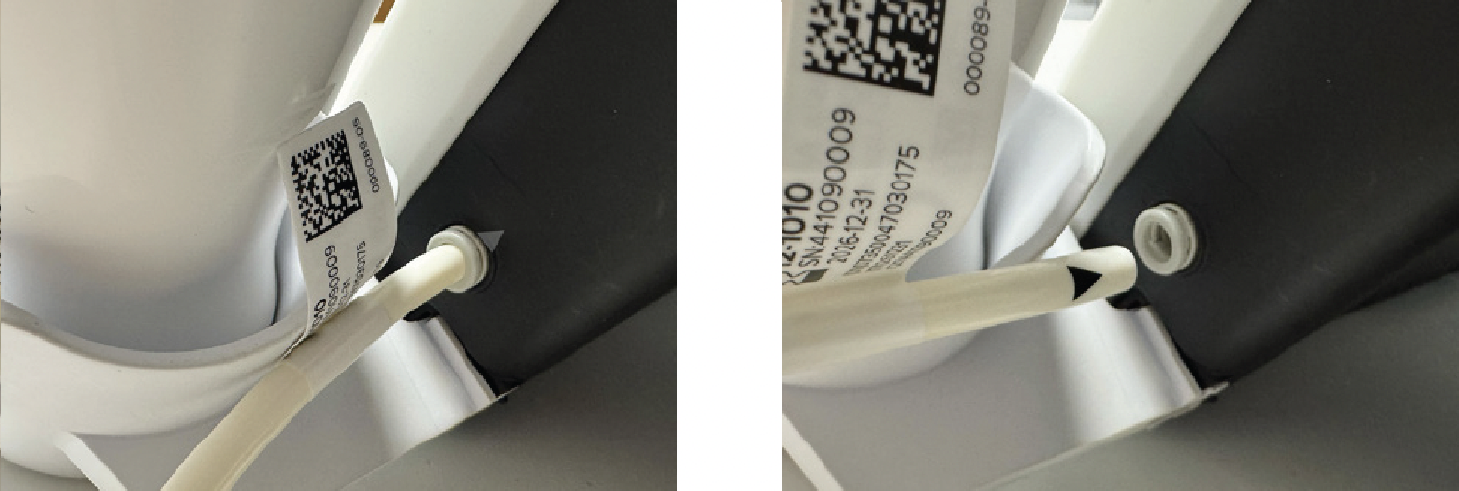
Note: Used or expired sensors should be recycled according to local facilities for electronic equipment.
Completed this step?
Step Two: Attach the new Breathing Handle:
- Attach a new Breathing Handle to the device by pushing the tube into the circle handle tube port until the triangle is no longer visible.
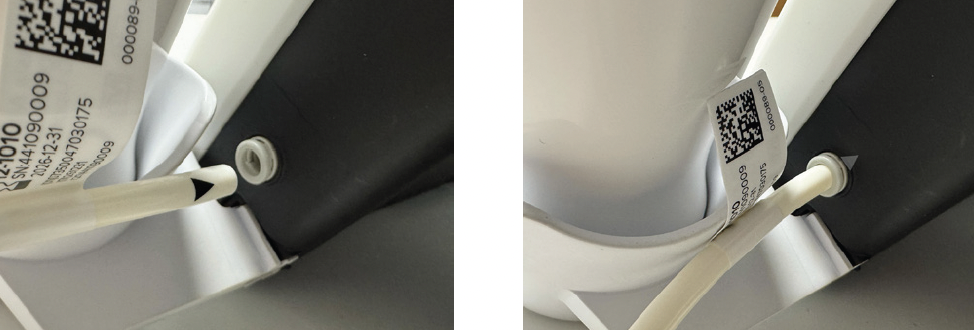
Completed this step?
Step Three: Setting up your new Breathing Handle
-
Place the device into standing position again and turn the device back on by holding down the power button until the screen turns on. Then, tap the settings icon:

-
Followed by the Breathing Handle change button:

-
This will bring up the change Breathing Handle settings screen. Tap the large change Breathing Handle button on the right-hand side of this screen. This will then showcase the following screen:

- Select the checkmark icon in the bottom right to confirm that you have made the change successfully.
Completed this step?
Contact NIOX® Customer Services
Submit your details so that we can help you.
Support Checklist:
You've completed all the steps!

Track your progress.
Request a quote
Need a new breathing handle? Request a quote today.


NIOX® Customer Support and Training
At NIOX® we are passionate about providing excellent support and training.


